
Guides
What is a download manager used for? 10 uses on a PC
A download manager is used for faster downloads, resuming after a drop, queues, scheduling and video. Free for Windows 10 and 11.
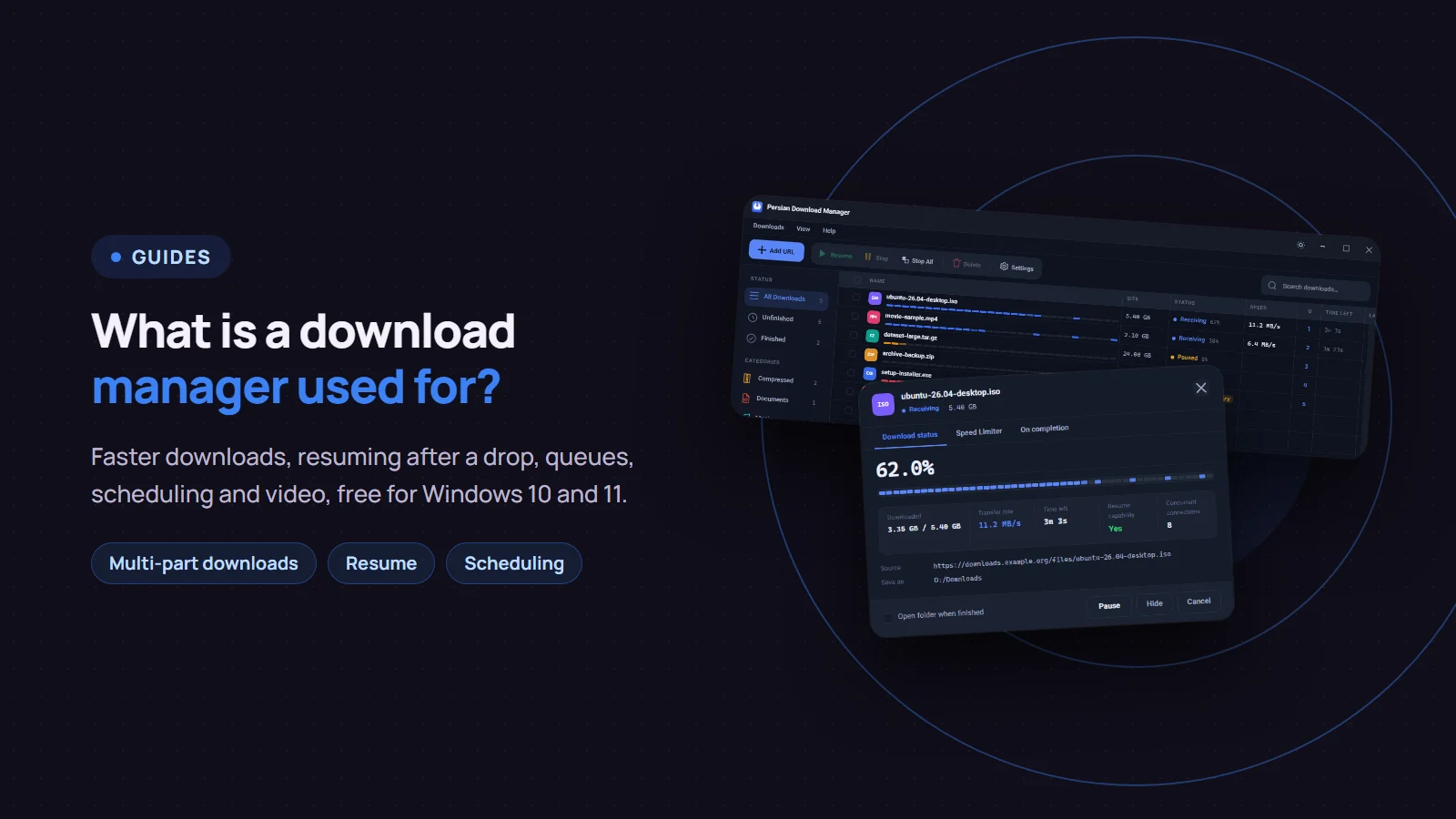
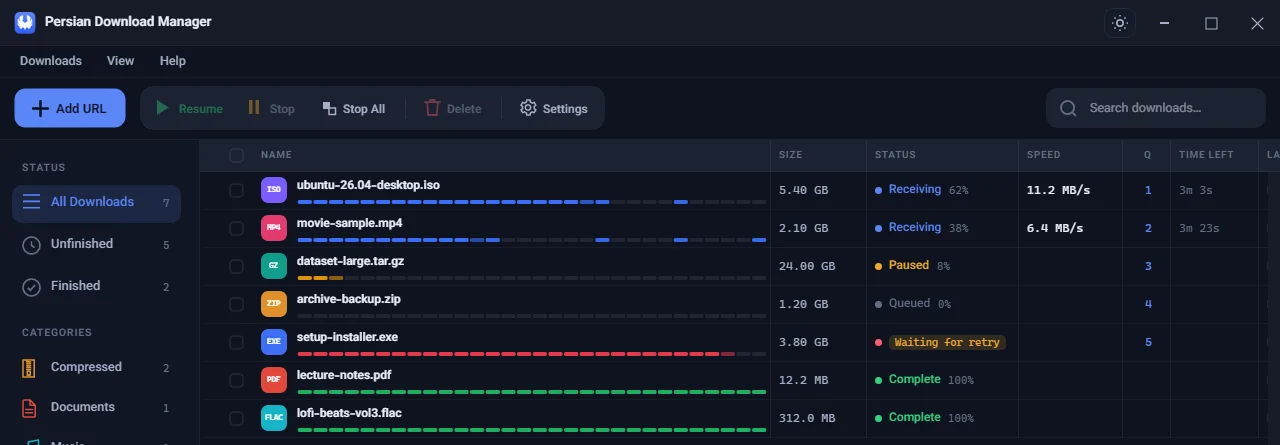
A download manager takes downloads over from your browser and handles them faster, more reliably and in better order. It fetches one file in several parts at once, picks up where it stopped if the connection drops, and works through your downloads in a queue or at the time you choose. This post shows ten things a download manager is used for on a PC, with real screenshots of Persian Download Manager (PDM), a download manager for Windows 10 and 11 that costs nothing.
What is a download manager?
A download manager is a program that downloads files from the internet in place of your browser. Browsers are fine for a small file. When the file is large, the connection is shaky or you have many files at once, a download manager does the job better, in these ten ways.
10 things a download manager is used for
1. Faster downloads
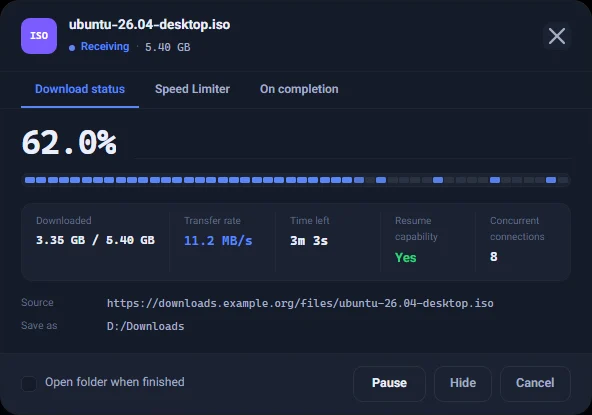
A download manager fetches one file in several parts over several connections at once. PDM opens up to 8 connections per file by default, and you can raise that to 16. Your final speed still depends on your connection and the server. See the four settings that actually help.
2. Resuming a broken download
If the connection drops or the PC shuts down, the download does not start from zero. A download manager continues from where it stopped, as long as the server supports resuming. The details are in resuming a broken download.
3. Automatic retry
A few seconds of lost connection or a briefly busy server no longer leaves a download half done; PDM tries again on its own. See automatic retry.
4. Renewing an expired link
Some sites hand out temporary links. If a link expires mid-download, "Renew link…" gives the same download a fresh link, and nothing already downloaded is lost. Read renewing an expired download link.
5. Catching downloads from your browser
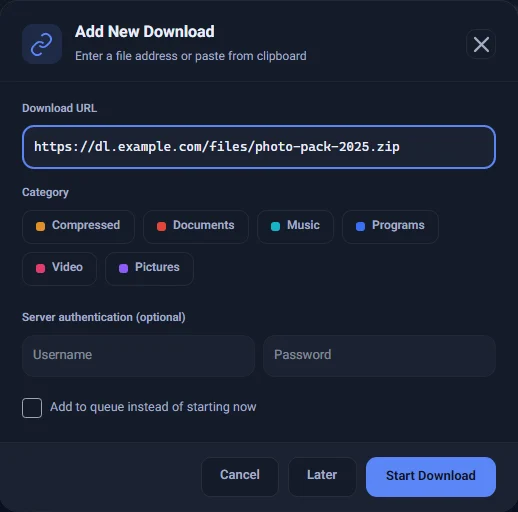
With the official extension for Chrome, Edge and Firefox, a download you start in the browser goes straight to PDM. You can also add a link by hand, or just copy a link and the Add download dialog opens by itself.
6. Downloading videos and playlists
A download manager is not only for files. With PDM you can save a YouTube video in the quality you want, or download a whole YouTube playlist.
7. Queues and scheduling
Put downloads in a queue so they run one or a few at a time, and set a start and stop time. You can even have the PC shut down when downloads finish.
8. Limiting download speed
Sometimes you do not want a download to take the whole connection. Limiting download speed keeps browsing and video calls smooth.
9. Organising and finding files
PDM puts every file in the right folder by itself, whether it is a film, a series, music, a book or a program; that is smart categories. Later, smart search finds a file by its meaning, even when its name is in another language.
10. Keeping downloads safe
Before installing a program, check the file's hash to be sure it arrived intact. PDM also spots a program disguised as a video or a document and warns you.
A download manager for your PC: what you need
- Windows: PDM runs on Windows 10 and 11 (64-bit), and installing it needs no administrator rights.
- Linux and Android: there is a Linux version for 64-bit Linux and an Android app for Android 8 and later.
- Browser: extensions for Chrome, Edge and Firefox.
Frequently asked questions
Is a download manager free?
Persian Download Manager is free to use and needs no sign-up. Get it from the download page.
Does it work on Windows 7?
No. PDM is built for Windows 10 and 11 and does not run on Windows 7 or 8.
Does a download manager make my internet faster?
No, it does not change the speed of your line. It makes better use of the speed you have, especially when a server gives each connection only a little speed and a multi-part download gets around that limit. For the technical side, see HTTP range requests on MDN.
How is a download manager different from the browser's downloads?
A browser fetches each file over one connection and has no queue, scheduling or link renewal. It also cannot always continue a download that broke off. A download manager is built for exactly those jobs.
If you are looking for a download manager for Windows 10 and 11 that costs nothing, download Persian Download Manager and try these ten uses yourself.