Persian Download ManagerFOR ANDROID Get it free
Version 1.2Now on Android, with the same engine as the Windows version

Download manager for Android, freeFaster than ever, intact to the last byte.

Every file is split into up to 16 parts that arrive at the same time. If the connection drops, it carries on from where it stopped, and the file is checked before it is handed to you.

16connectionsfor a single file
Connection back · resuming
✓Safe finish · hash checked
Night queueStarts on time, stops at the end
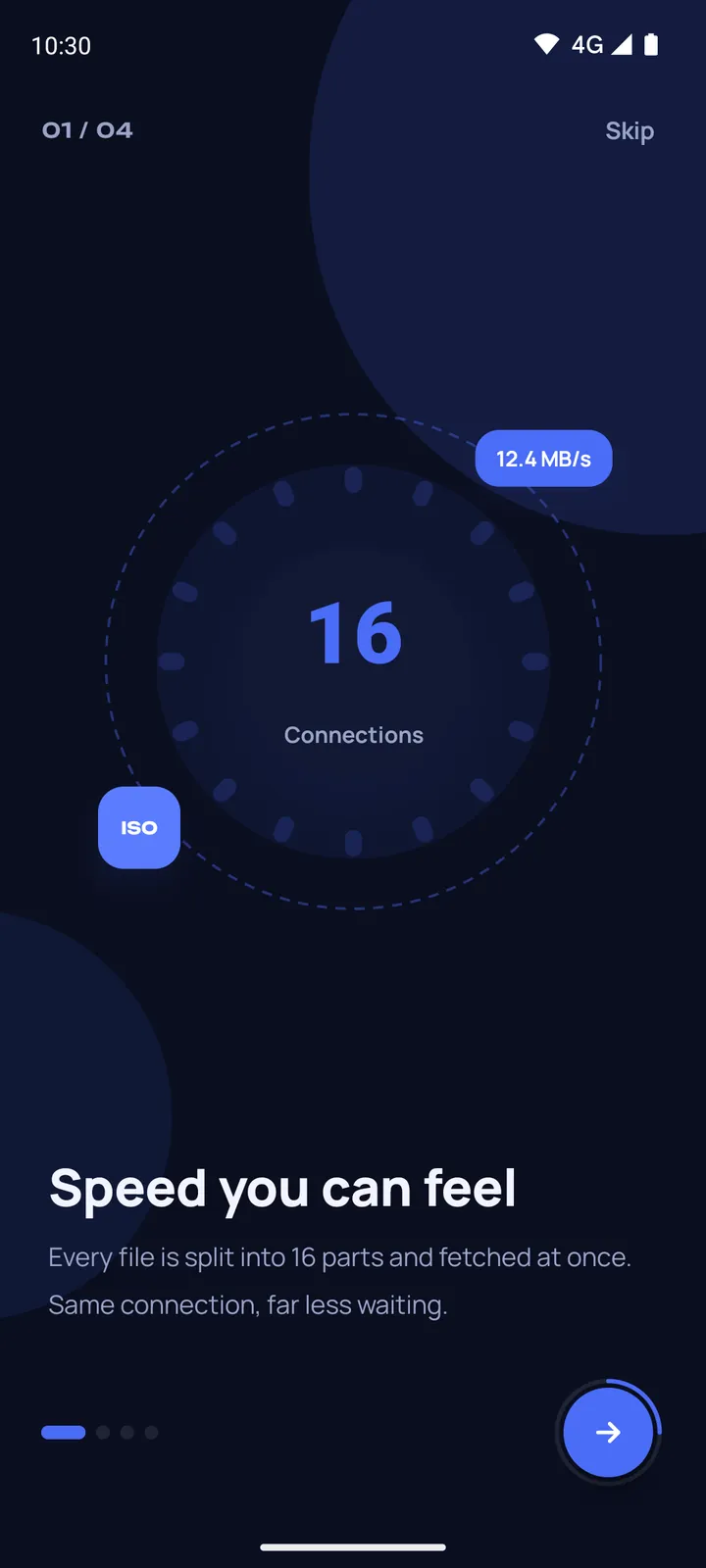
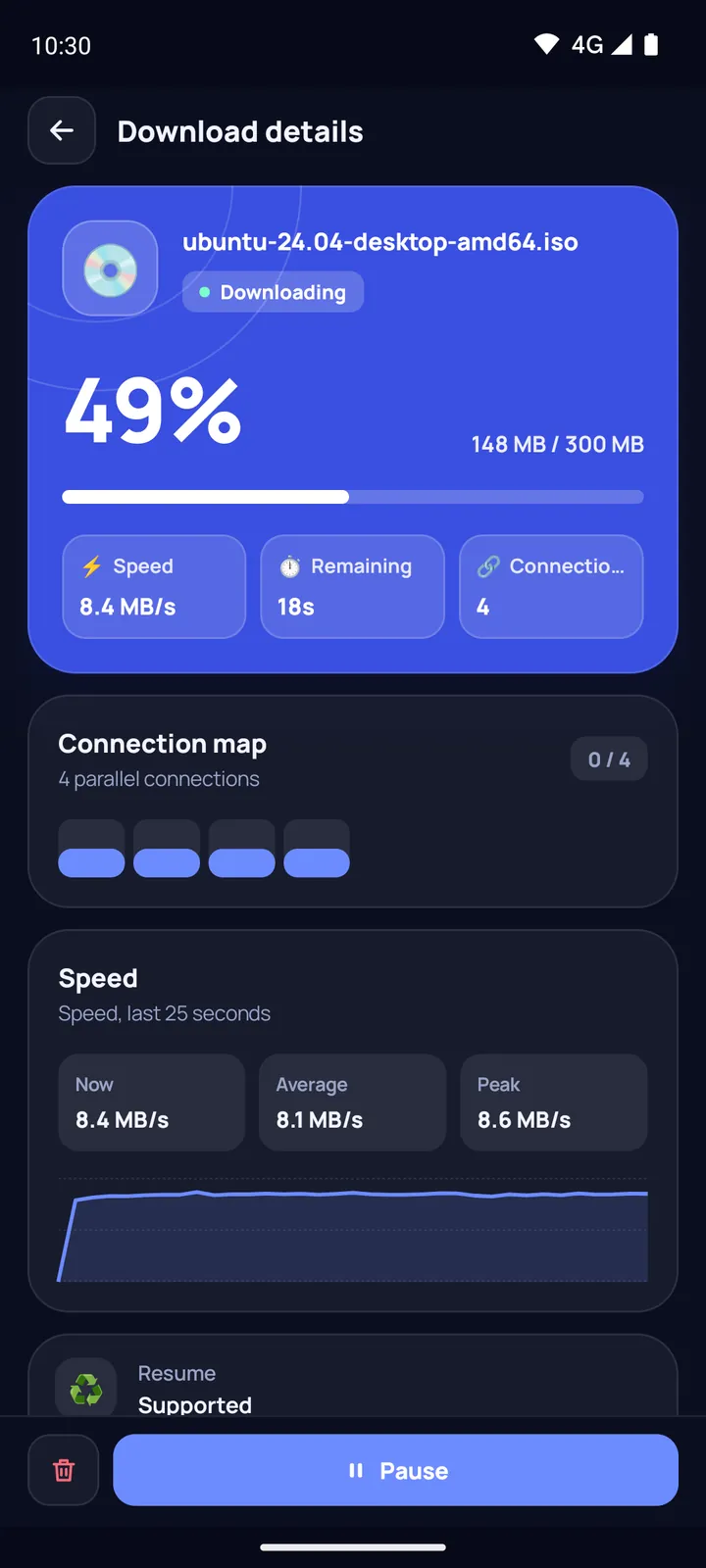
Persian Download Manager for Android welcome screen: speed you can feel, 16 connections The Android download manager's Downloads screen with the total speed and several downloads at once Download details on Android: progress, speed and the connection map

Real screenshots of the app, version 1.2

INSIDE THE APP

The Android download manager, screen by screen.

01Downloads

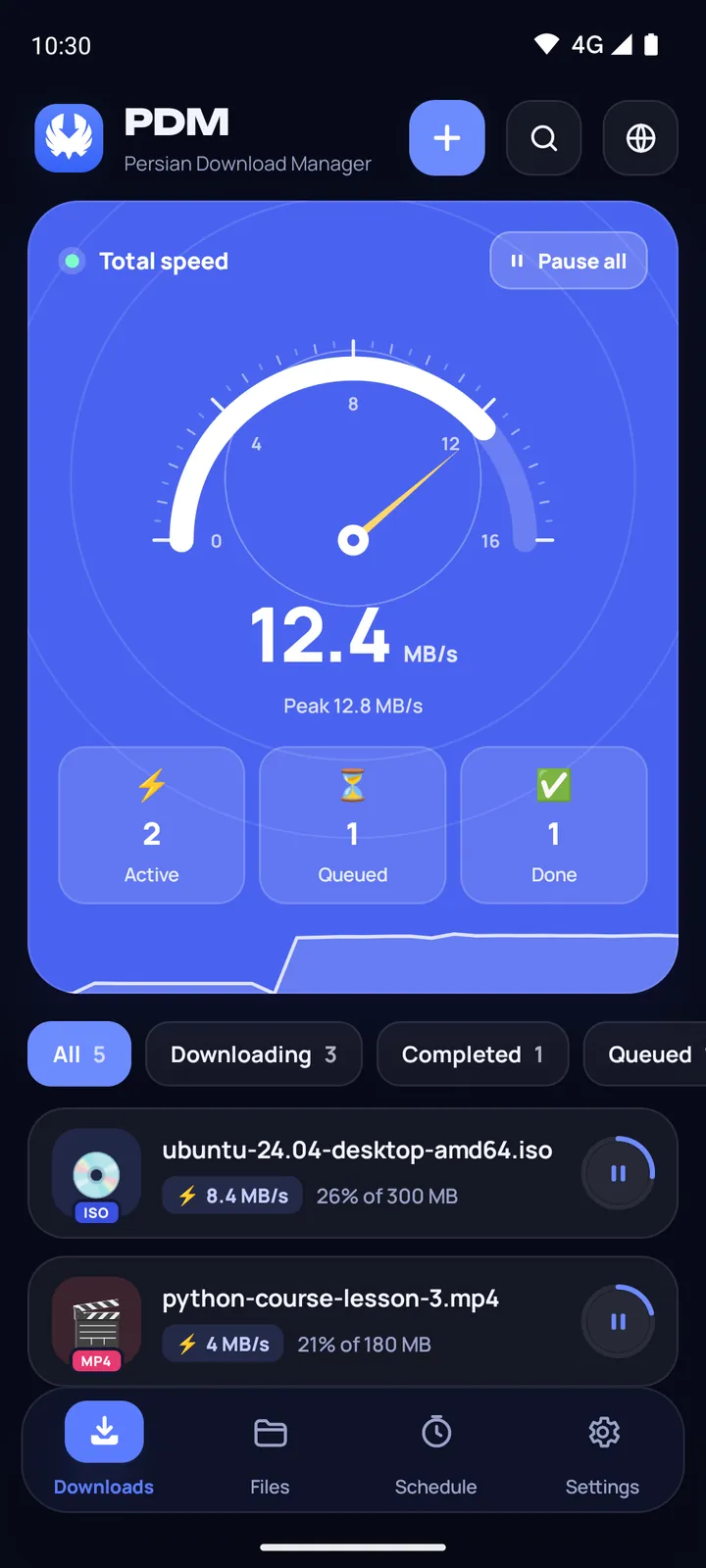
Everything live, at a glance.

Downloads keep going in the background: with the screen off, in deep sleep, and even after the app is swiped away from recent apps.

Progress notificationPause all
“Download complete”tap it to open the file
“Download failed”with the reason
The Downloads screen of Persian Download Manager for Android
02Download details

One file, up to 16 connections at once.

Fast multi-part downloading with the same engine as the Windows version. Connection dropped? It picks up exactly where it left off.

Lost connectionClosing the appPhone restartAndroid closing the app
Automatic retryWhen the error is temporary.
Changed-file detectionIf the file changed on the server, the download starts over so the file is not corrupted.
Download details with the map of parallel connections
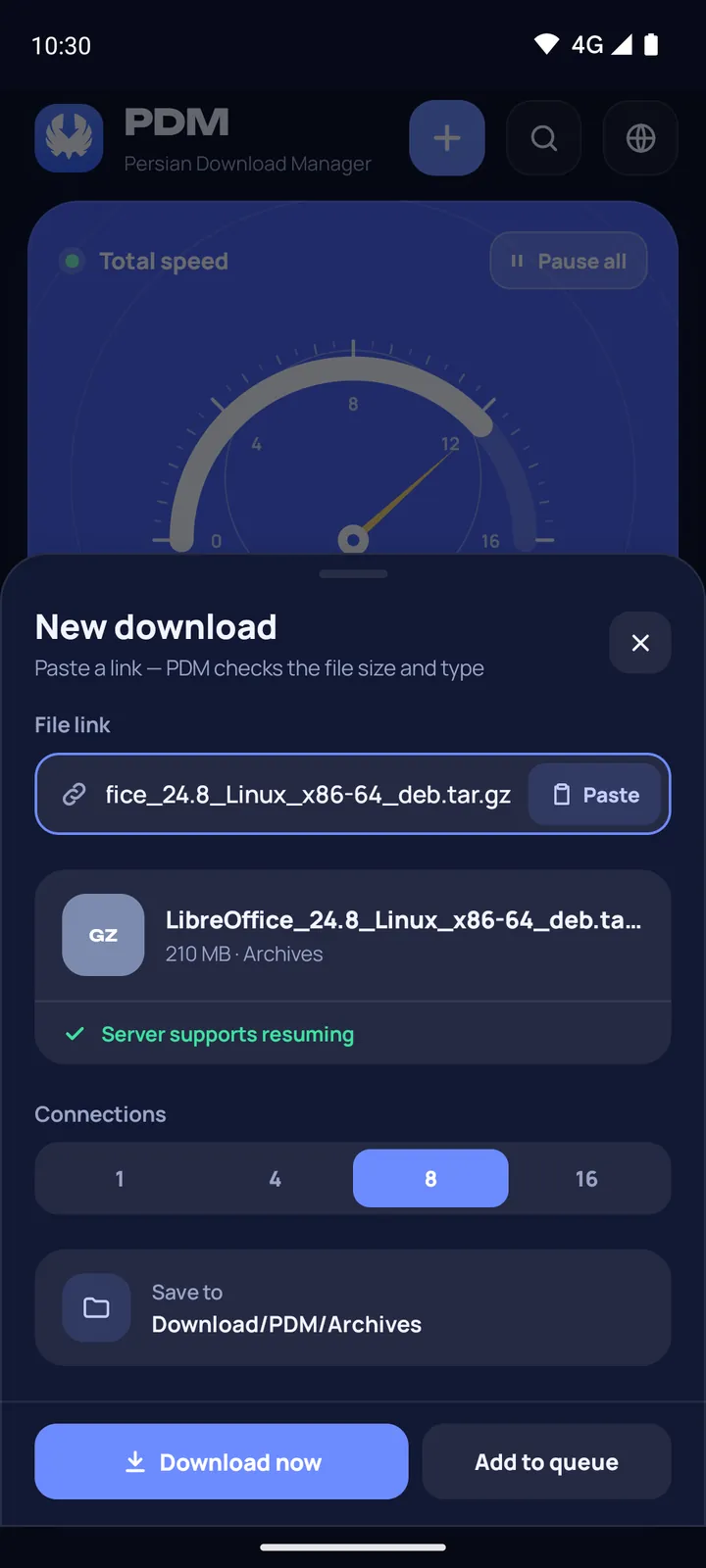
03Add a download

Links, however they arrive.

SHAREShare a link from any app.
SELECT“Download with PDM” in the menu of selected text.
CLIPBOARDA copied link: when you come back to the app, it offers to download it, once.
BROWSERThe built-in browser hands a page's download links to the app with the cookies they need, finds the videos on the page and grabs several links at once for you to choose from.
The new download sheet with the link check and the number of connections
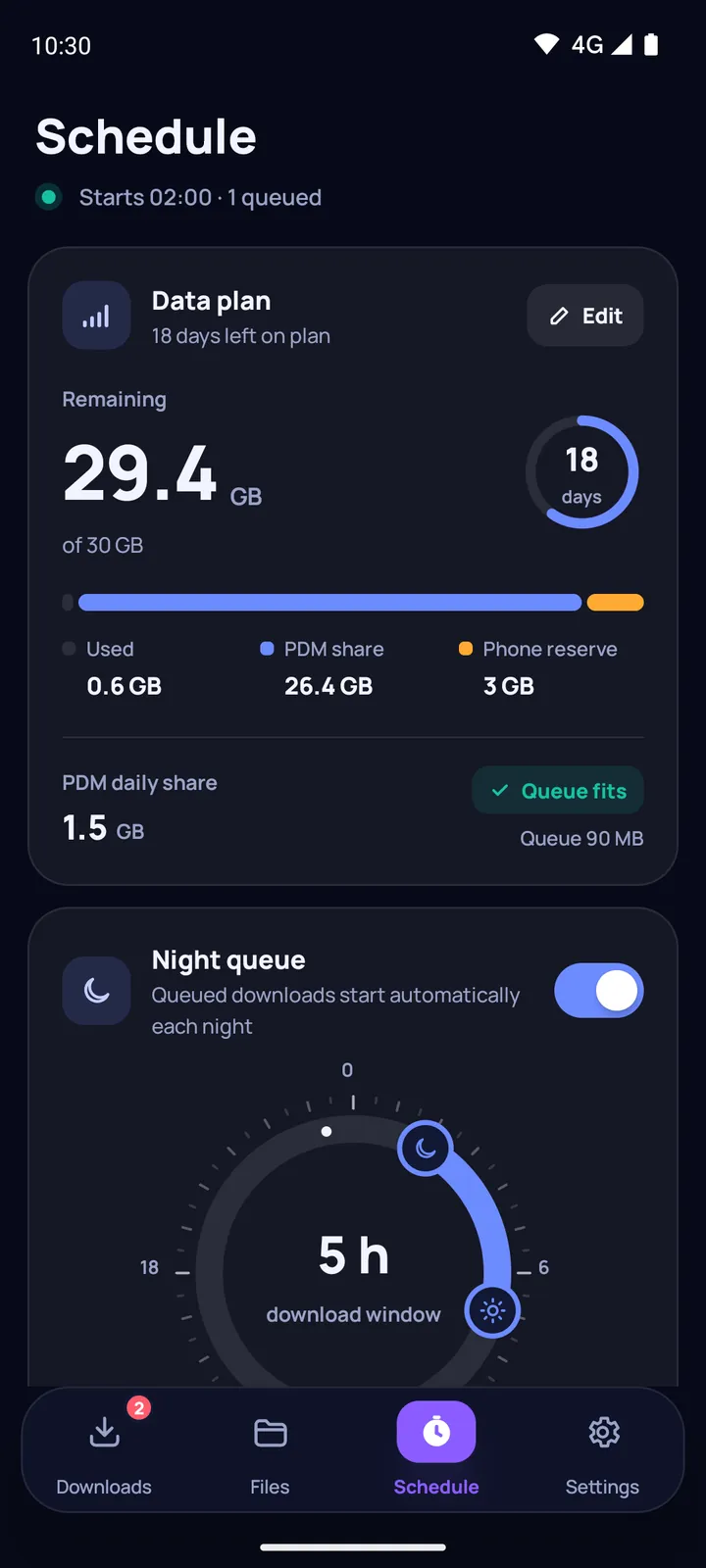
04Scheduling

Download at night,
collect in the morning.

The night queue starts your downloads at the time you pick and stops them at the end of the window. You can choose the days of the week too, and the schedule is set again after a restart or a clock change.

“Golden hour”

Tells you at what time of day this server is usually several times faster.

Download scheduling on Android: the night queue with its start and stop time
05Files

Every file in its own folder.

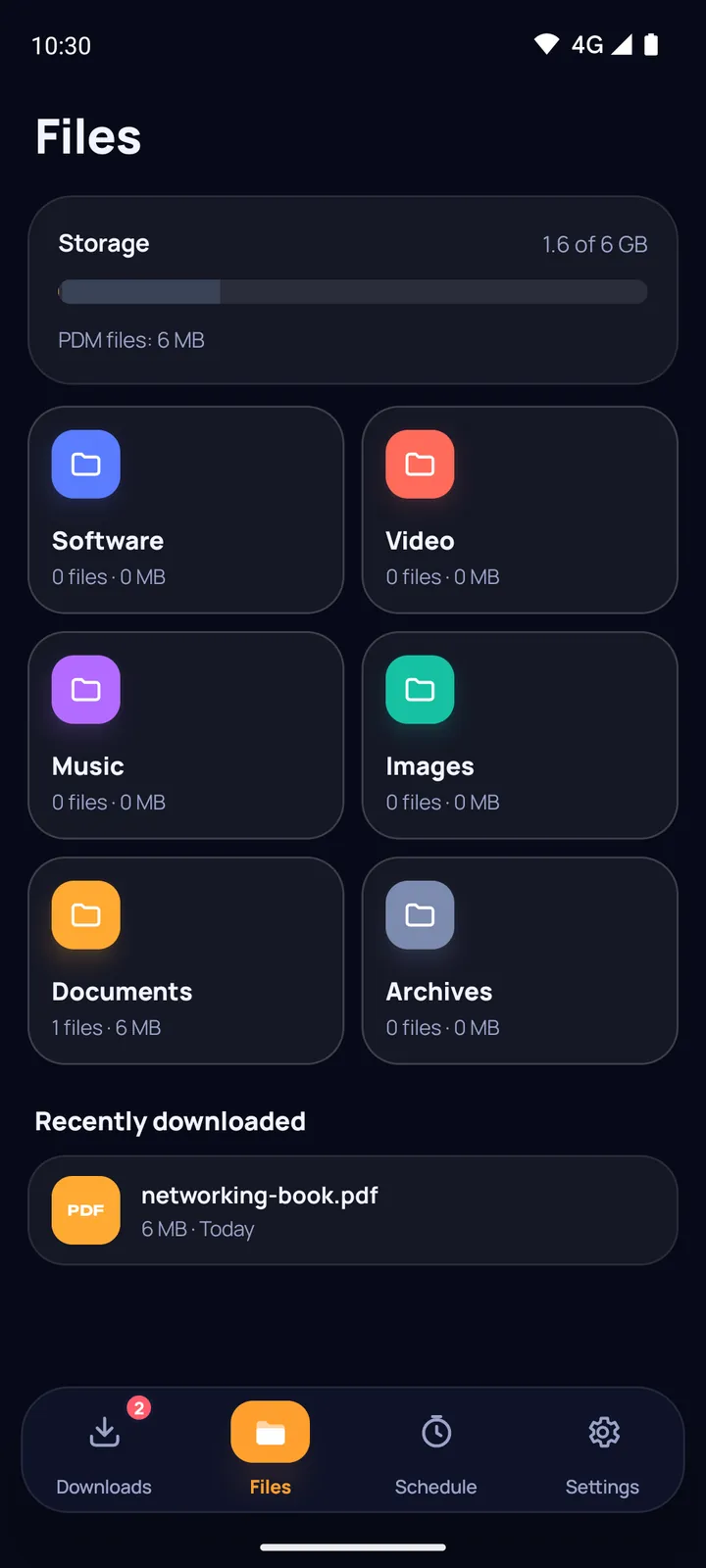
Files are sorted automatically into folders for video, music, software and more.

Duplicate namesIf a name is taken, the file is saved under a new name, never overwritten.
Undo a removed downloadA download you removed comes back.
Free spaceTells you before it starts if there is not enough room.
The Files screen with folders for video, music and software
06Settings and rules

You set the rules.

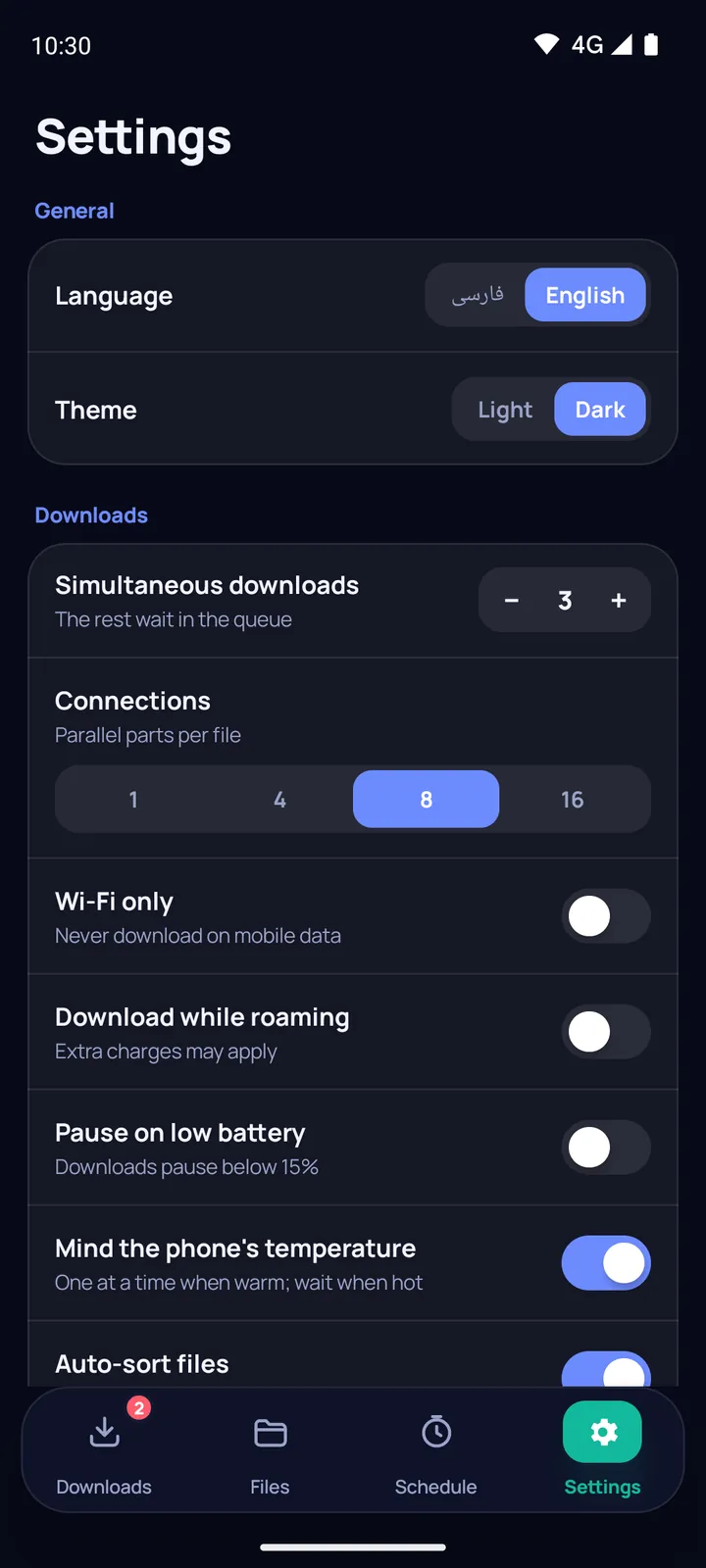
From 1 to 5 downloads at the same time, and 1, 4, 8 or 16 connections by default.

Wi‑Fi and roamingWi‑Fi only, and no downloads while roaming.
Low batteryBelow 15% it waits; it carries on when you plug in or the battery reaches 20%.
Phone temperatureWarm: one download at a time. Hot: it waits.
“Why is it waiting?”Every reason, from the app's rules to Android's limits, each with a button to fix it.
Android download manager settings: simultaneous downloads, default connections and Wi‑Fi
VIDEO

Video downloads, with the quality picked by size.

Instead of guessing between qualities, say how big the file may be.

YouTubeWebsite edition

Pick a quality or “audio only”. Video and audio are joined into one MP4 automatically.

InstagramWebsite edition

Public posts and reels, without logging in.

“Best quality under…”
0 MB500 MB

The app picks the best quality that stays under 300 MB.

INTEGRITY & SECURITY

Not finished
until it is intact.

“Safe finish”

The finished file is compared with the hash the server announced. Archives (ZIP, APK and the like) check themselves.

Surgical repair

In a damaged file, only the damaged part is downloaded again.

APK

APK health check

✓Spots a forged signature, a tampered build and a changed developer.
!Recognises the pattern of scam apps that ask to read your text messages.
✓Compares the hash with the one on the download page.

Strict security

Works with Android's Advanced Protection mode
HTTPShttps is tried first.
HTTPAn unencrypted link downloads only after you confirm it.
APKA dangerous APK is not opened.
LOCKFile names stay hidden on the lock screen.

Link renewal

https://cdn…/file.mkv?expires=…
https://cdn…/file.mkv?token=fresh▌

When a link expires, the download carries on from where it was with a fresh link. For links that came from the built-in browser, it finds the new one on the original page by itself, and if a signed link will expire before the download can finish, it warns you in advance.

Split for messengers

Cuts a large file into parts small enough to send on Telegram or another messenger, and joins the parts back together.

DARK · LIGHT

Two themes, one feel.

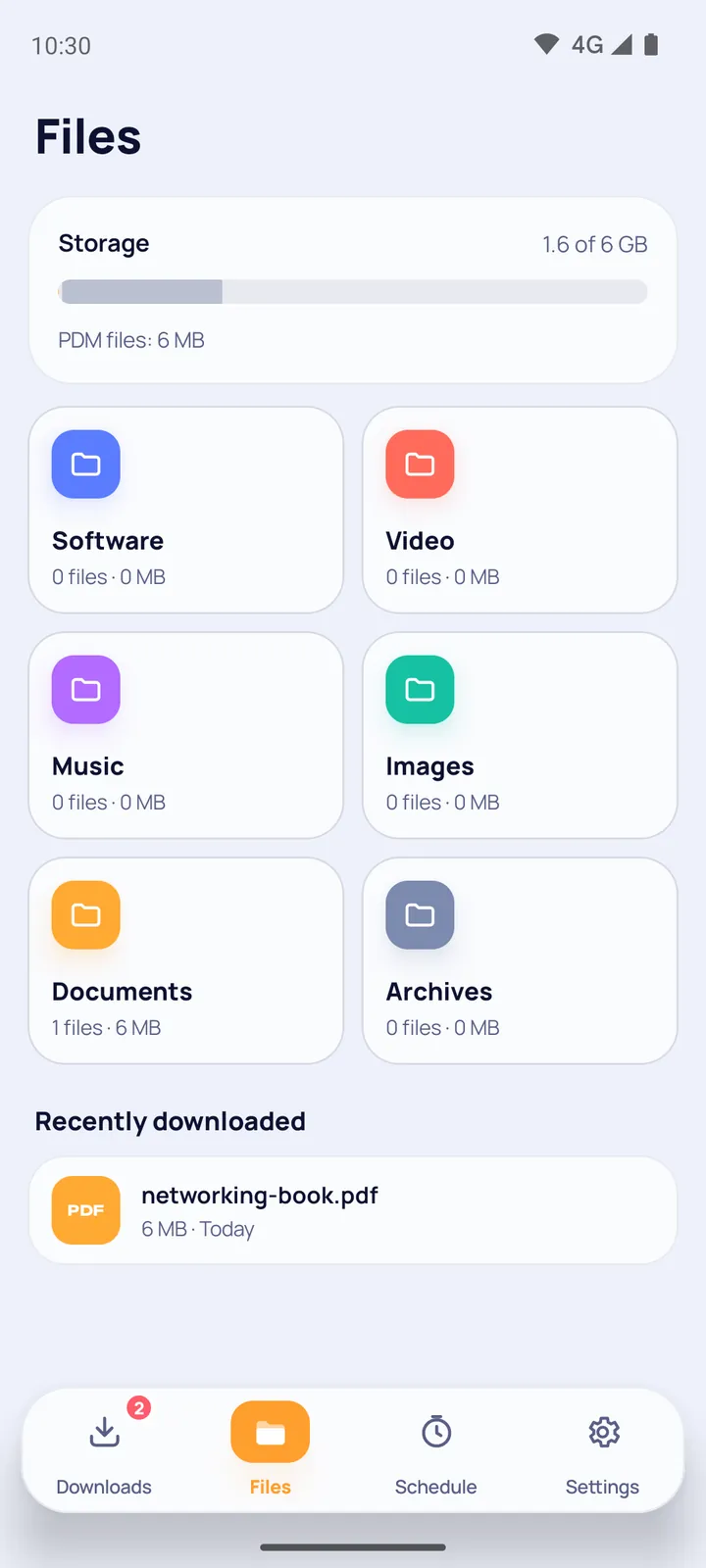
A dark and a light theme; pick the one that suits you.

The Android download manager in English with the dark theme
English · Dark
The Files screen of the Android download manager with the light theme
English · Light
Welcome screensA four-screen introduction: the one at the top of this page.
In-app updatesWith a signature and hash check. Website edition only; store editions update from the store.
PrivacyNo account and no collection of personal data.
GET PDM

Free download manager for Android, ready to install

One engine, two ways to install. Pick the one you are comfortable with; these are the only differences.

Selected editionWebsite
✓YouTube and Instagram downloads
✓In-app updatesSignature and hash checked
In every edition
Up to 16 connectionsNight queueSafe finishAPK health checkLink renewal
Download the APK
Version 1.2 · one file for every phone · 30.3 MB · Android 8.0 and newer SHA-256: cc9680f7cfa8d053d3e55a0c556342d4767c9969f9ed0f84688392641a47e7fd

Queue it tonight,
it is done by morning.

Free download for Android
FAQ

Android download manager – frequently asked questions

What is the best download manager for Android?

One that survives bad connections: it splits files into parts, resumes exactly where it stopped, schedules big downloads for later and checks the finished file. Persian Download Manager does all of that with up to 16 connections per file, a night queue and a file health check, for free.

Is Persian Download Manager free?

Yes. It is completely free: no account and no in-app purchases.

Can I schedule downloads on Android?

Yes. In the night queue you pick a start time, a stop time and the days of the week; queued downloads start on time and stop at the end of the window. The schedule is set again after a reboot or a clock change.

How can I make downloads faster on Android?

Multi-part downloading helps the most: the file is split into up to 16 parts that download at the same time. The final speed still depends on the server and your connection; the "golden hour" hint tells you when a server is usually faster.

Where are downloaded files saved?

In Download/PDM on your phone, sorted into folders by type — video, music, software, documents and more. You can open them from the app or from any file manager.

If the connection drops, does the download start over?

No. If the server supports resuming, the download continues from where it stopped after a lost connection, closing the app, a reboot or Android closing the app. Before you start, the app tells you whether the server supports resuming.

Can it download YouTube and Instagram videos?

Yes, in the version from this website: pick a quality or audio only, and the video and audio are joined into one MP4 on your phone. Instagram works for public posts and reels without logging in. The Google Play version does not include them.

Will it run on my phone?

There is one APK for every phone, so you do not need to know your phone's processor type. It runs on Android 8 and newer.

Is it safe to install the APK from this website?

The file is signed with the Persian Download Manager key, and its SHA-256 hash is shown next to the download button so you can check it. Android asks once for permission to install apps from your browser.

Does the app collect personal data?

No. It needs no account and does not collect personal data. The details are on the privacy page.