
Troubleshooting
Resuming a broken download: why it sometimes restarts
Your connection dropped mid-download? PDM usually picks up where it stopped. Here is when it cannot, and what to do then.
Your download reaches 70 percent and the connection drops. The good news: in most cases Persian Download Manager (PDM) continues from that 70 percent, not from zero. Sometimes it cannot, and the reason is almost always the file's server, not the app. Below: what makes resuming possible, what stops it, and what to do when a download starts over.
How resuming works
PDM splits every file into parts and fetches each part over its own connection. Each piece is written to disk the moment it arrives, so the app always knows exactly how much of the file it has.
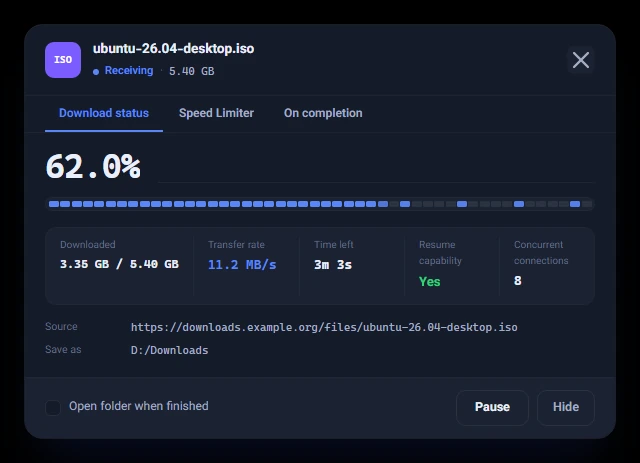
When the connection comes back, PDM asks the server only for the parts that are still missing. This is called a range request (the Range header). If the server accepts it, the download continues exactly where it stopped. In the download's progress window, "Resume capability" tells you whether this file's server supports it.
Two conditions
- The server must support range requests. Most download sites do, but not all.
- The file must not have changed on the server in the meantime. PDM checks this against the identifier the server sends with every file.
The second condition matters more than it seems. If the file changed and the app carried on anyway, the first half of the old file would be glued to the second half of the new one, and you would end up with a broken file. So in that case PDM deliberately starts over.
Why a download sometimes restarts from zero
If a download started from zero after a dropped connection, it is usually one of these three:
- The server does not support range requests and sends the whole file every time.
- The download link was temporary and has expired. Some sites keep a link valid for only a few hours.
- The file changed on the server, for example because a newer version replaced it.
| Situation | What PDM does |
|---|---|
| The server sends ranges and the file is unchanged | Continues from the same point |
| The server only sends whole files | Starts again from zero |
| The file changed on the server | Starts again, so the file is not corrupted |
The link expired. Now what?
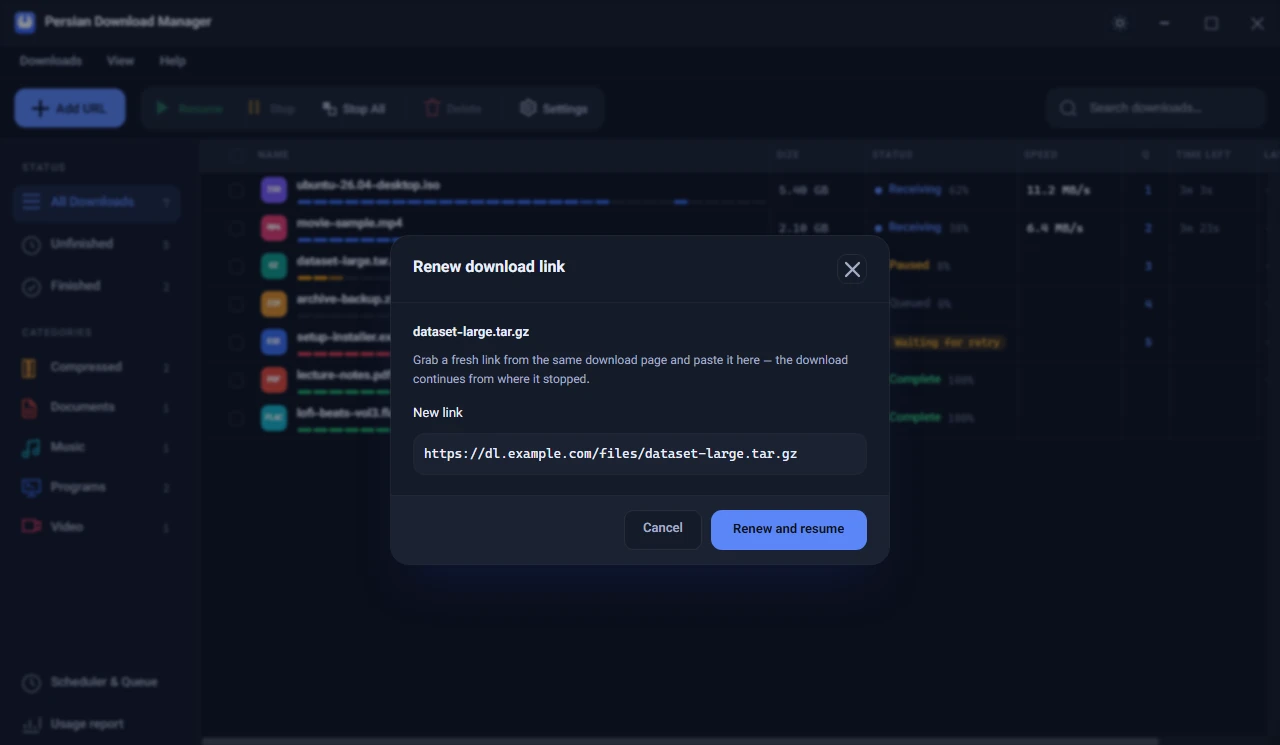
Do not delete the download. Get a fresh link from the page you downloaded from the first time, right-click the download, choose "Renew link…", paste the new link and press "Renew and resume". If it is still the same file, PDM continues with the new link from where it stopped.
Do not have PDM yet? Get the free version from the download page and follow the install guide.
If your connection drops a lot
- Lower "Max connections per download" in Settings a little. Some servers refuse many connections from one person.
- Queue large downloads so they run one at a time instead of splitting your bandwidth.
- Schedule big downloads for the hours when your connection is most stable, so they run without you.
In short: wherever the server allows it, PDM continues from the same point, and wherever continuing would leave you with a broken file, it starts over so that what you keep is intact.