
PDM news
Smart categories: a download manager with on-device AI
Since 3.4, Persian Download Manager uses on-device AI to tell movies, series, courses, podcasts and books apart and file each in its own folder.
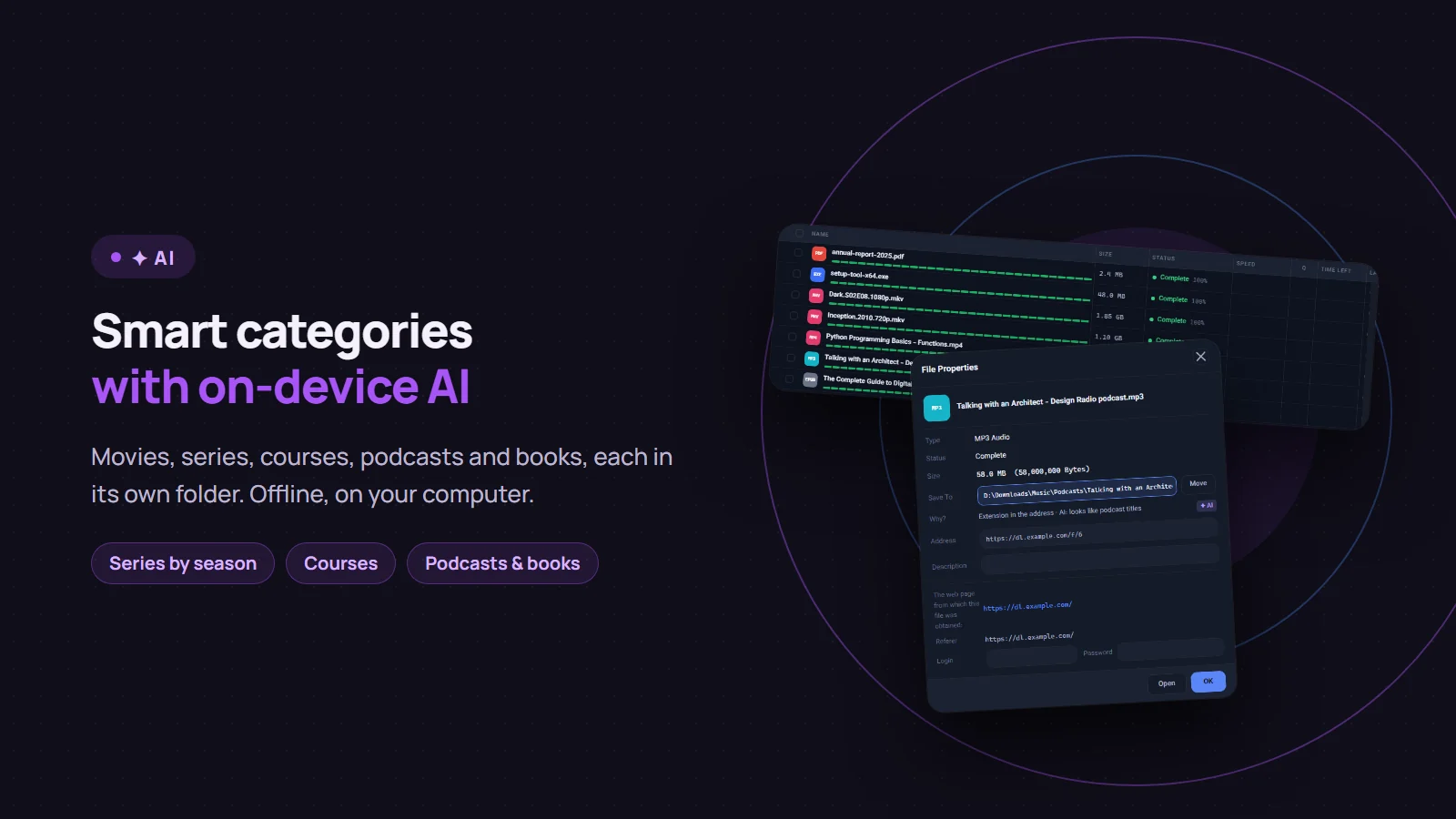
Since version 3.4, Persian Download Manager (PDM) works out what each file is and saves it in the right folder: movies with movies, series season by season, and courses, podcasts and books each in their own place. A small AI model does this, and it runs on your own computer. It needs no internet connection, and your file names are never sent anywhere. This post explains how it works, how accurate it is, and how to correct it when it gets something wrong.
Where does each file go?
Downloads first land in six main categories, each with its own folder inside your download folder: Compressed, Documents, Music, Programs, Video and Pictures. Smart categories then add subfolders inside them:
| Kind of file | Folder |
|---|---|
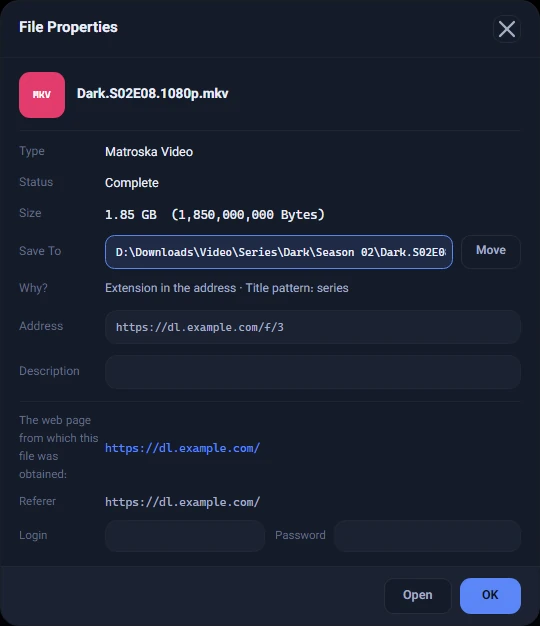
| An episode of a series | Video\Series\<series name>\Season 02 |
| A movie | Video\Movies\<Title (Year)> |
| A course | Video\Courses\<course name> |
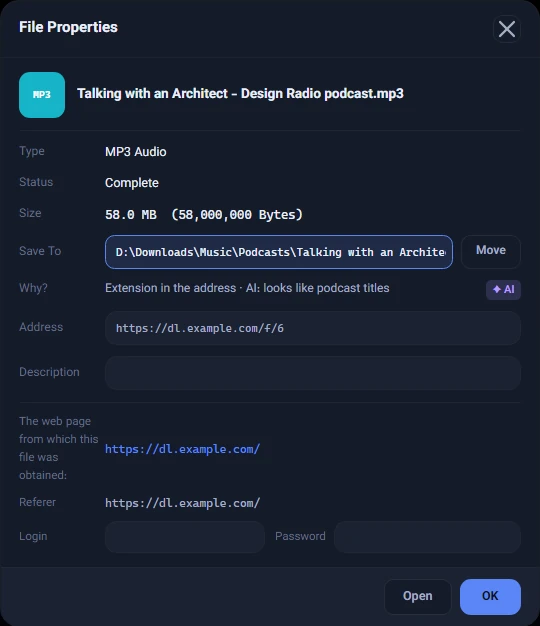
| A podcast | Music\Podcasts |
| A book | Documents\Books |
| Subtitles | Next to their video, or Video\Subtitles |
Anything that is none of these, such as a song or an installer, stays in its main category folder.
How PDM decides
The AI is not PDM's first tool; it is its last. The order is:
- Hard facts: the file extension in the link and the content type the server reports. A PDF is a document, full stop.
- Title patterns: markers such as
S01E02, "Season 2" or a film's release year. This part is a fixed set of rules, not AI, written for all five languages the app speaks. - AI: for titles the first two steps cannot place, the model guesses from the file name whether it is a course, a podcast or a book. If it is not confident, it says nothing and the file stays in its main category.
- The file's real content: if nothing above could tell, PDM reads the beginning of the finished file and recognizes its type from that.
The reason for every decision is shown in each download's File Properties window, next to "Why?". For an episode it reads "Extension in the address · Title pattern: series"; for a podcast, "Extension in the address · AI: looks like podcast titles".
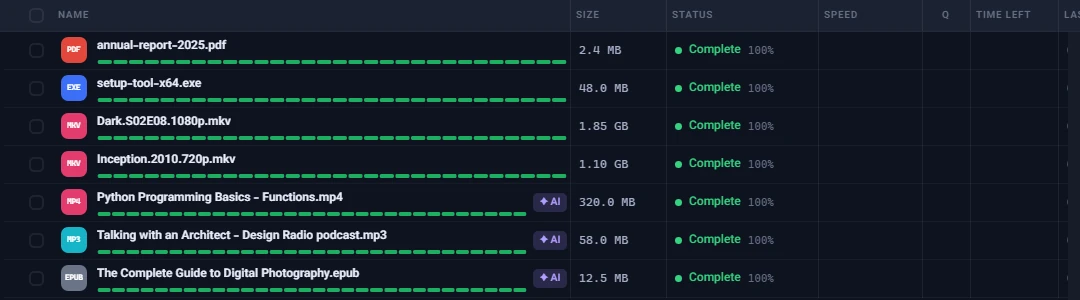
The "✦ AI" badge
Wherever the model made the call, a purple "✦ AI" badge sits next to the download, so you know the folder came from a guess rather than a hard rule. Only the model's decisions get it: a file placed by its extension or a title pattern has no badge.
The badge leaves the row once you open the file, show it in its folder or change its category, but it always stays in the File Properties window.
When it gets it wrong
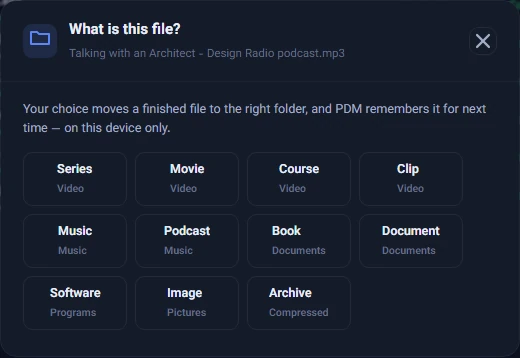
Right-click the download and choose "Change category…". The "What is this file?" window offers eleven choices: Series, Movie, Course, Clip, Music, Podcast, Book, Document, Software, Image and Archive. When you pick one:
- A finished file moves to the right folder. If it cannot be moved, for example because a file with the same name is already there, nothing changes and you are told why.
- PDM remembers the correction and decides better next time for similar titles.
- If you move files from the same site into the same other category twice, PDM asks "A rule for this site?", so that site's files go to the right place from then on.
Everything PDM learns stays on your computer. You can see it under Settings → Save to → "What PDM has learned", delete any rule, or start over with "Forget what was learned". Forgetting never moves a file.
How accurate is it?
These numbers were measured on 1,216 real titles in five languages:
- When the main category is already known (say, it is a video) and the model only picks the subfolder, it is right 89% of the time.
- When the model alone names the category, it is right 86% of the time. For about a quarter of titles it is not confident, says nothing and leaves the decision to the rules.
- Accuracy differs by language. The weakest of the five is Persian: 82.5% for the subfolder and 69.9% when the model names the category. That is why "Change category…" and learning from your corrections are a core part of the feature.
Offline AI: privacy and system resources
- Everything happens on your computer. The model is about 27 MB and installs with the app. Titles, corrections and rules never leave your device, and PDM's logs record no file name, link or path.
- It does not hold memory it does not need. The model loads only when needed and uses about 175–185 MB while loaded. About two minutes after its last use it is dropped, and the download service goes back to roughly 12–20 MB.
- It does not slow things down. The first decision takes about 0.2 seconds, and each one after that a few hundredths of a second.
Turning it on or off
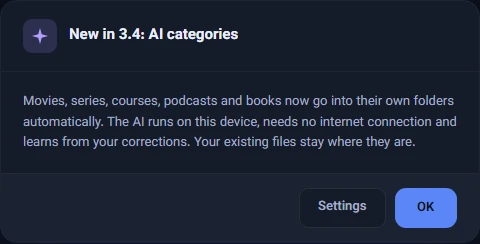
The feature is controlled by "Save each category in its own folder" under Settings → Save to. When you update to 3.4 you see a "New in 3.4: AI categories" card once. Files you downloaded before stay where they are; only new downloads are sorted.
A new safeguard: programs in disguise
The same system recognizes files that are not what they seem. If a program pretends to be a video or a document, like movie.mp4.exe, or a file named movie.mp4 turns out to be a program, it goes into Programs and you get a red warning so you never open it by mistake. PDM does not delete or lock the file; it only tells you.
Get version 3.4 from the download page. If you already have an older version, PDM offers the update itself. For more guides, see how to see how much data your PC uses and how to check that a download is intact.