
PDM news
Persian Download Manager is now on Android
The Android app is out: downloads that resume, a night queue and a data plan manager. Install the APK or get it on Google Play.
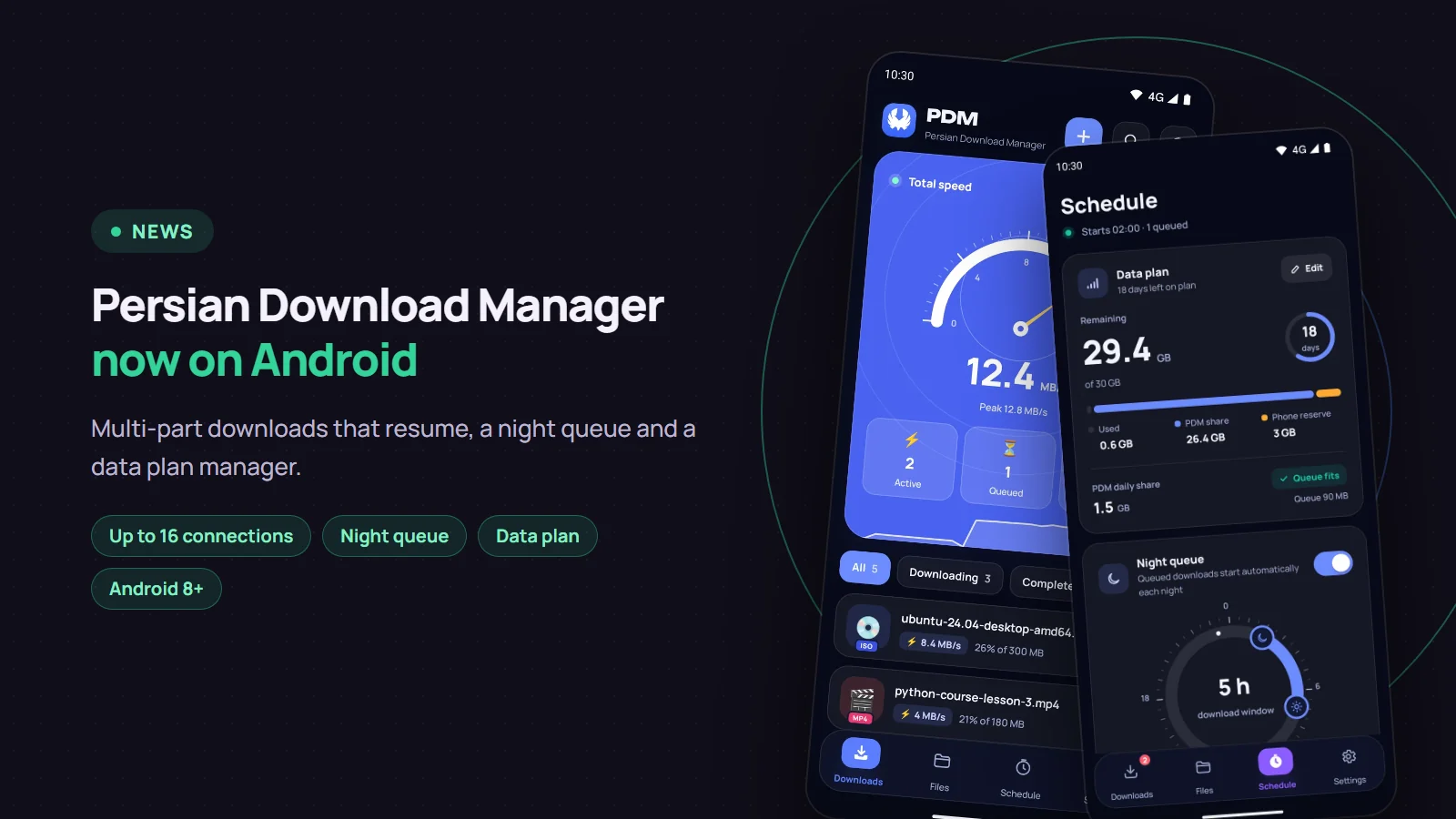
Persian Download Manager (PDM) now runs on Android phones. It downloads big files in parts, picks up where it stopped after a connection drop, and starts your night downloads on time. You can get it from our site as an APK file or install it from Google Play. This post covers what it does, how to install it, and how the two editions differ.
What it does
- Multi-connection downloads: each file is split into parts that download at the same time, up to 16 connections. The final speed depends on the server and your connection.
- Resuming: a dropped connection, closing the app or restarting the phone does not break a download; it continues from where it stopped. This also depends on the server, so PDM tells you before it starts whether the server supports resuming.
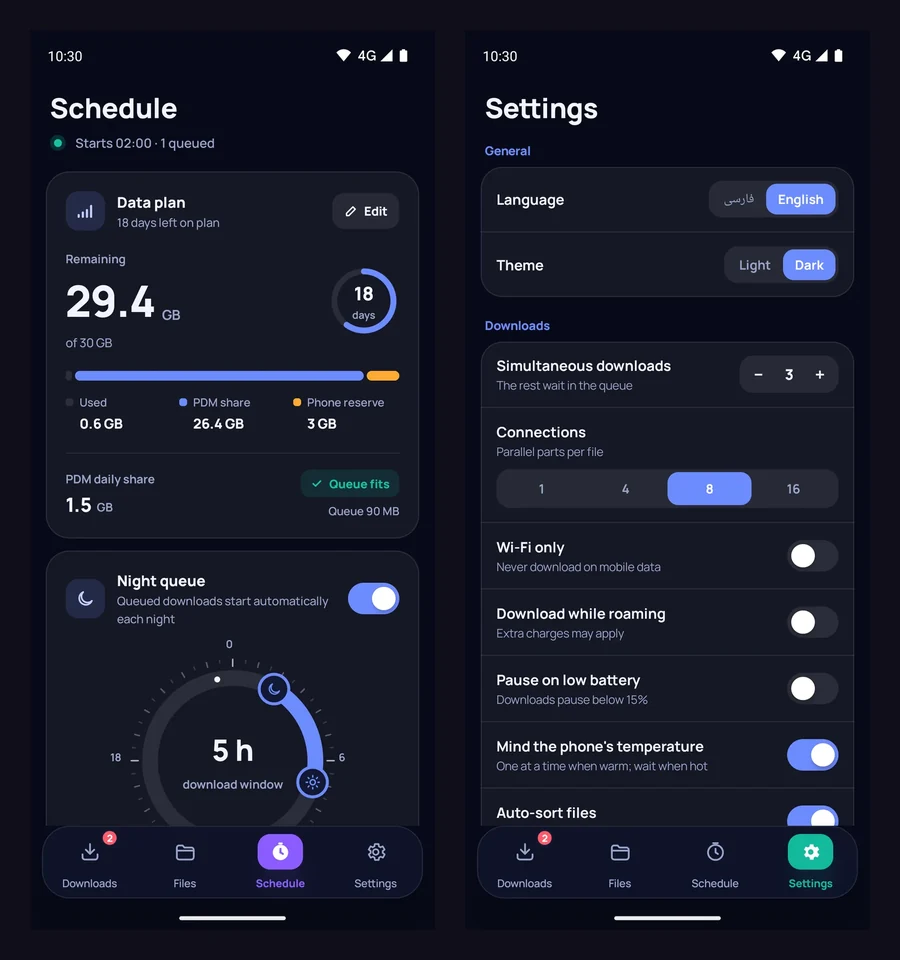
- Night queue: choose a start time, an end time and the days of the week. Downloads start on time and stop at the end of the window.
- Data plan manager: enter the plan's size and end date. PDM counts only mobile-data use and warns you before the plan runs out.
- Download rules: Wi-Fi only, no downloads while roaming, and wait while the battery is low. A held download waits and resumes by itself.
- Link renewal: when a download link expires, PDM fetches a fresh one from the original page and keeps the part you already have.
- File checks: when the server or site publishes a hash (SHA-256 or MD5), PDM checks the file against it. It also checks the phone's free space before starting.
- Aparat: download Aparat videos in the quality you want, as long as the uploader has not switched downloads off. Here is how, step by step.
- Five languages: English, Persian, Arabic, German and Turkish. The app opens in your phone's language, and you can change it in Settings.
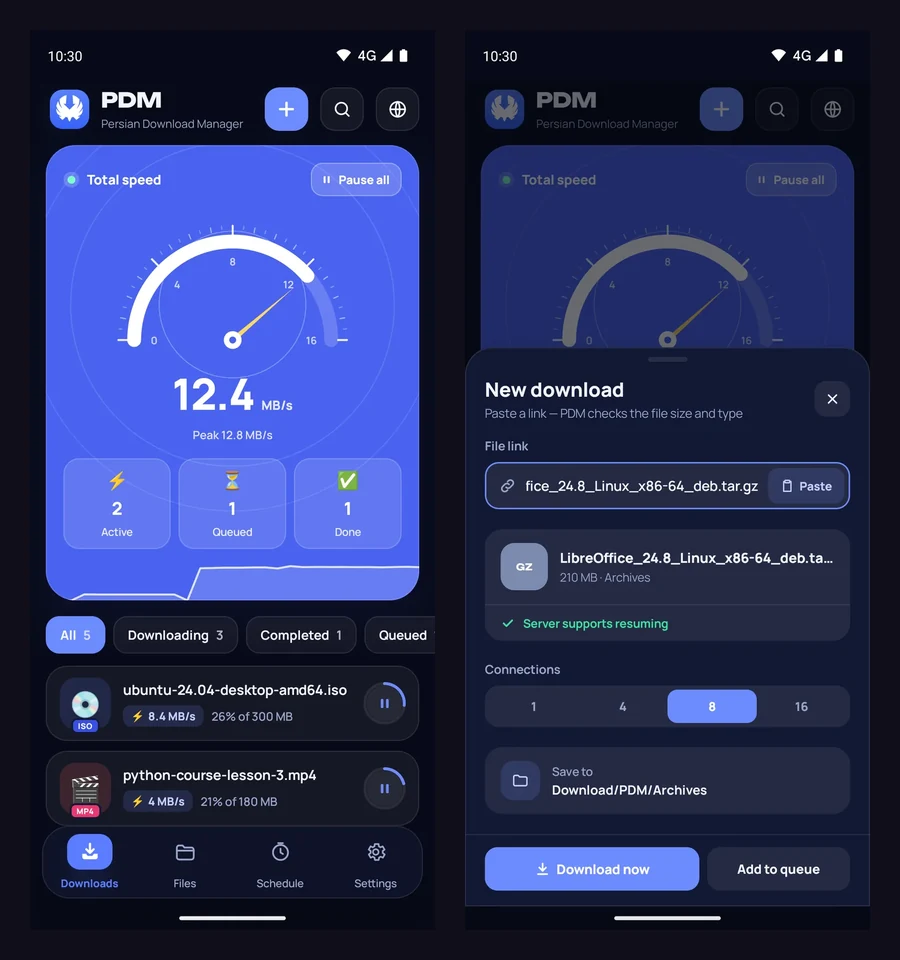
Where do I give it a link?
You do not have to paste links by hand:
- Use "Share" in any app and pick PDM.
- Select a link in text and choose
Download with PDMfrom the selection menu. - A link you have copied is suggested when you open the app.
- The built-in browser finds the page's download links and videos, and downloads with the page's own cookies.
Files are saved in Download/PDM, sorted into folders such as video, music and software. You can also see them in your phone's Files app.
The night queue and the data plan
Send large downloads to the night queue before bed and let them run in the window you set. After a phone restart or a clock change, the schedule sets itself again.
Installing the APK from the site
- Download the APK from the Android page. One file works on every phone, so you do not need to know your processor type.
- Open the file. To install from outside a store, Android asks once for permission to "install unknown apps" for your browser; allow it.
- To be sure the file is intact, compare the SHA-256 hash next to the download button with the hash of the file you downloaded. The file is signed with the Persian Download Manager key.
The app installs on Android 8.0 and newer.
Site edition or Google Play?
Both are the same app with all of the above, with one difference: the Google Play edition does not include YouTube or Instagram downloads. Aparat works in both. If you want to download videos from YouTube or Instagram, install the site edition; there you pick a quality or "audio only", and picture and sound are joined into one MP4 file automatically.
Privacy
The app needs no account and collects no personal data. It connects only to the sites you download from. See the privacy page for details.
The APK and the rest of the features are on the Android page. If you also use Windows, the Windows version is on the download page. If a download stops halfway, read resuming a broken download.