
Guides
Avoid duplicate downloads and save your data
Persian Download Manager warns you before you download a file twice, even from a different link or under another name. See how it works.
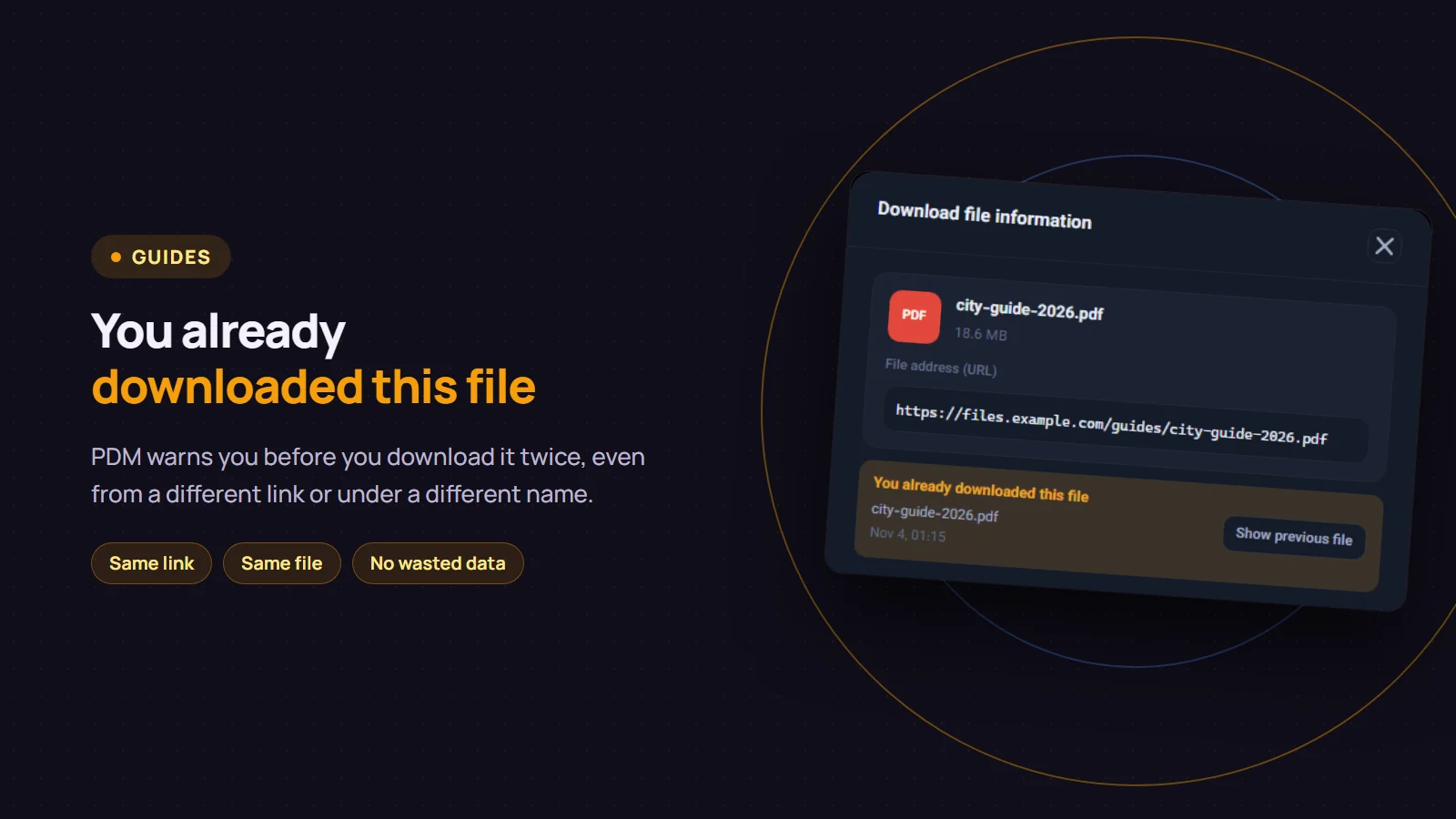
You download a large file and then notice you already got the same one last week. The data is spent and so is the time. Since version 3.5, Persian Download Manager (PDM) checks before a download starts whether you already have the file. If you do, it tells you with a "You already downloaded this file" warning, even when the link or the file name is different this time.
Where the warning appears
When a download arrives from your browser, the "Download file information" window opens. If the file is a duplicate, an orange box at the top of that window shows:
- the name of the file you already have and when you downloaded it
- a "Show previous file" button that opens its folder with the file selected
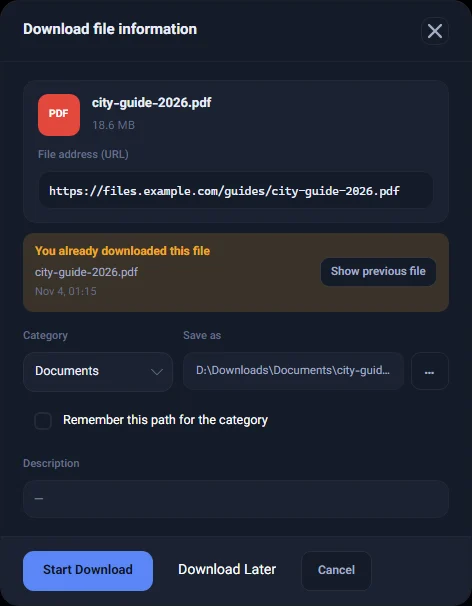
If the earlier download has not finished yet and is still in your list, the warning says "This file is already in your list".
How PDM knows it is a duplicate
PDM compares the download with your own earlier downloads and looks for one of three signs:
- The same link, even if the parts of the link that change on every visit, such as a signature or an expiry time, are different.
- The same file from another link. If the server gives the file a fixed identifier and the size matches, it is the same file, even from another server or under another name. The warning then adds "from another link".
- The same name and the same size. Names that differ only by a "(1)" at the end, by Latin versus other digits, or by similar look-alike characters count as the same.
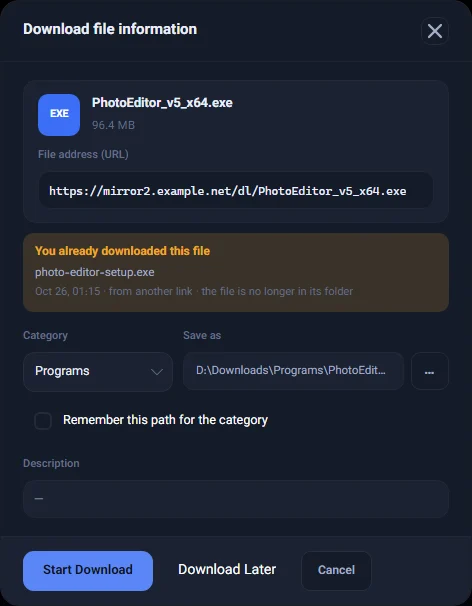
If you have deleted the earlier file from its folder, the warning says "the file is no longer in its folder" and the "Show previous file" button is not shown. Downloads you cancelled never trigger the warning.
The warning never stops you
The warning only informs you. If you really want a fresh copy, or the old one is damaged, click "Start Download" or "Download Later" as usual. PDM never blocks a download for being a duplicate.
Many links at once
When you grab several links from a page at once, or import links from a text file, links already in your list are labelled "Already in list" and left unticked. So only the new links are downloaded, unless you tick the others yourself.
Good to know
- It all stays on your computer. PDM only looks at your own download list and sends no extra request to the internet for this check.
- It works by rules, not AI. Just the three signs above, so when it warns you there is a clear reason.
- If your data allowance matters, the usage report shows how much you downloaded each month.
If you do not have version 3.5 yet, PDM offers the update by itself. And if you do not have Persian Download Manager yet, get it free from the download page.