
Capturing downloads and videos from your browser
Once the extension is installed, links and videos reach PDM with a single click.
1
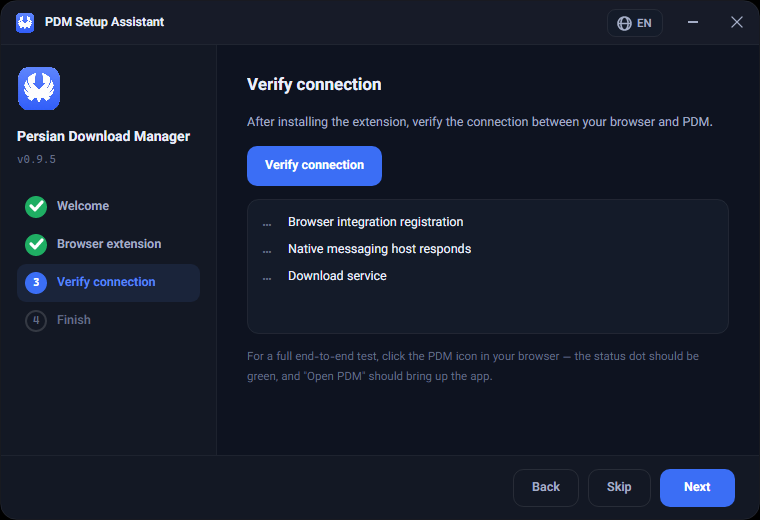
Verify the connection
Run the "Verify connection" step in the setup assistant. All three checks must read Connected: browser integration registration, native messaging host, and the download service.
2
Test from the browser
Click the PDM icon in your toolbar — the status indicator should be green, and "Open PDM" should bring up the application. This is the real test; the green checks inside PDM only cover its own side.
3
Download a link
Right-click any download link and choose "Download with PDM". The file information window opens in PDM showing the address, size and destination folder.
4
Download a video
On pages with video, use the find-media option in the extension popup or right-click the video, then pick the quality you want.
PDM does not bypass platform restrictions. Services with protected content are not supported, and respecting each site's terms is the user's responsibility.
Was this article helpful?
Thanks for the feedback.